

Dripify Of course! Here is a comprehensive overview of Dripify.

What is Dripify?
- Dripify is a LinkedIn automation tool designed to help sales professionals, recruiters, and marketers automate their outreach and lead generation activities on the platform. Instead of manually sending connection requests and follow-up messages, users can create automated sequences (or “drips”) that perform these tasks on their behalf, 24/7.
- The core idea is to simulate a human-like, personalized outreach strategy at scale, saving time and increasing the efficiency of prospecting on LinkedIn.
How Does Dripify Work?
- Dripify operates by automating actions you would normally do manually on LinkedIn. Here’s the typical workflow:
- Define Your Target Audience: You set up search criteria (e.g., industry, job title, location, company size) to identify your ideal prospects on LinkedIn.
- Create a Sequence: You build a multi-step automation sequence. A typical sequence might look like this:
Step 1: Send a personalized connection request.
- Step 2: (If they accept) Wait 1 day, then send a thank-you message with a call-to-action.
- Step 3: (If no response) Wait 3 days, then send a follow-up message with additional value.
- Step 4: (If they engage) Wait 2 days, then send a final message or an invitation to book a meeting.
- Launch the Campaign: Once the sequence is active, Dripify’s “virtual assistant” will execute the steps according to your schedule.
- Manage Leads: All prospects are fed into a dashboard where you can see their status (e.g., “Connection Sent,” “Replied,” “Opt-Out”), manage conversations, and track performance.
Key Features of Dripify
- Automated Sequences: The heart of the tool. Schedule connection requests, messages, and InMails.
- Personalization Tokens: Use placeholders like {{First Name}}, {{Company}}, or {{Job Title}} to automatically personalize messages at scale.
- Lead Management Dashboard: A centralized inbox to see all your interactions, replies, and campaign analytics.
- Smart Inbox: Manage all your LinkedIn message replies from within Dripify, without needing to switch back to LinkedIn.
- Visit Notifications: Get alerts when a prospect you targeted visits your LinkedIn profile.
- CRM Integration: Connects with popular CRMs like Salesforce, HubSpot, and Pipedrive to sync lead data seamlessly.
- A/B Testing: Test different message templates and sequences to see what generates the best response rates.
- Safety Features: Dripify emphasizes operating within LinkedIn’s limits to avoid detection, using random delays between actions and mimicking human behavior.
Pros and Cons of Using Dripify
Pros (The Advantages)
- Saves Massive Amounts of Time: Automates the most repetitive parts of LinkedIn outreach.
- Increases Efficiency & Scale: Allows you to reach hundreds or thousands of prospects simultaneously.
- Structured Process: Forces you to have a defined outreach strategy with clear follow-ups.
- Improved Lead Tracking: Provides clear analytics on what’s working and what isn’t.
- Personalization at Scale: Helps you build more human connections than a generic bulk email blast.
Cons (The Risks and Drawbacks)
- Violates LinkedIn’s Terms of Service: This is the biggest risk. If detected, your account could be restricted, suspended, or even permanently banned.
- Can Feel “Spammy”: If not used carefully, automated messages can annoy prospects and damage your personal brand.
- Requires Careful Setup: A poorly configured sequence (e.g., sending too many requests too quickly) increases the risk of being flagged.
- Not a “Set It and Forget It” Solution: You still need to monitor replies, engage in real conversations, and adjust your strategy based on results.
Cost: It’s a subscription-based service, so it’s an ongoing expense.
Who is Dripify For?
Dripify is best suited for:
- B2B Sales Professionals: Who need to generate a consistent pipeline of leads.
- Recruiters: Who need to reach out to a high volume of potential candidates.
- Digital Marketers & Agency Owners: Who run outreach campaigns for clients.
- Startups & Entrepreneurs: Looking to build their network and find early customers.
Important Considerations and Safety
If you decide to use Dripify, you must prioritize account safety:
- Start Slow: Begin with low daily action limits (e.g., 20-30 connection requests per day) and gradually increase.
- Use High-Quality Personalization: Avoid generic messages. Make each message feel hand-written.
- Keep Your LinkedIn Activity “Human”: Continue to use your account manually—post content, comment, like posts—while the automation runs in the background.
- Use a Premium LinkedIn Account: Sales Navigator is highly recommended, as it provides more reliable search results and is seen as a more “legitimate” tool for heavy outreach.
Advanced Features & The “How-To” of Dripify
The Funnel-Based Approach:
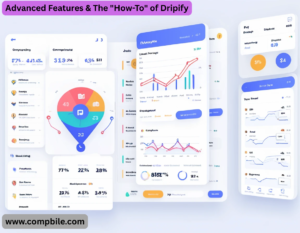
- Dripify doesn’t just send messages; it visualizes your prospecting as a sales funnel inside its dashboard. You can see exactly where each lead is:
- New Leads: Just added to the sequence.
- Connection Sent: The request is out.
- Connected: They accepted.
- Replied: They engaged with your message.
- Meeting Booked: The ultimate goal.
- Opt-Out: They asked to stop, and the sequence automatically halts.
- This allows for powerful segmentation. For example, you can create a new sequence specifically for people who replied but didn’t book a meeting.
Advanced Personalization & Variables:
- Beyond {{First Name}}, sophisticated users leverage other variables to create hyper-relevant messages:
- {{Job Title}}: “As a {{Job Title}}, you likely face challenges with…”
- {{Profile URL}}: Useful for internal tracking or for your VA.
- Custom Fields: You can add your own fields based on your research (e.g., mentioning a specific recent article their company published).
The “Visit Notifications” Power Play:
- This is a killer feature. When Dripify tells you a prospect has visited your profile, it’s a huge buying signal.
- Immediate Action: You can manually jump into the conversation: “Thanks for checking out my profile! I noticed you’re interested in [their likely pain point]. Would it be helpful if I explained how we solve that?”
- Sequence Integration: Some users create a special sequence step that triggers only if a profile visit is detected, sending a follow-up message that references the visit.
Team & Agency Features:
For teams and agencies, Dripify offers:
- Team Dashboard: Managers can oversee the performance of all team members.
- Role-Based Access: Control what your team members can see and do.
- Client Management: Agencies can run campaigns for multiple clients from a single dashboard, keeping data separate and reporting clean.
Critical Safety Deep Dive: How to Not Get Banned
Using Dripify is a calculated risk. Here’s how to minimize it:
The “Human Emulation” Settings are KEY:
- Randomized Delays: Do NOT set actions to happen at fixed times (e.g., every 10 minutes). Always use random delays (e.g., between 25-45 minutes between actions). This is the #1 setting for safety.
- Daily & Weekly Limits: Never max out LinkedIn’s limits. A common safe starting point is:
Connection Requests: 20-30 per day
- Messages: 30-50 per day
- Profile Views: 50-100 per day
- Working Hours: Set the tool to only operate during realistic business hours in your timezone (e.g., 9 AM – 5 PM, Monday to Friday). An action at 3 AM is a major red flag.