

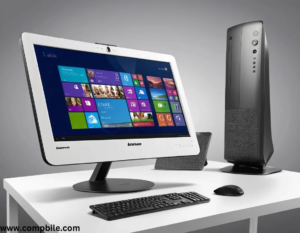
Lenovo Idea Centre AIO Intel Core i7 Intel Core i7: The processor provides fast and efficient performance, ideal for multitasking, video editing, and demanding software applications.
2. Display
- The AIO features a large HD or 4K touchscreen display (depending on the model) for vibrant visuals, making it suitable for media consumption, video editing, and gaming.
3. Graphics
- Most models come with Intel integrated graphics (like Iris X e) or an optional dedicated NVIDIA GPU for enhanced gaming and graphics performance.
4. Storage
- It often comes with a combination of SSD and HDD, such as a 512GB SSD + 1TB HDD or larger options, providing fast boot-up times along with ample storage space.
5. RAM:
- Typically offers 8GB to 16GB of DDR4 RAM, which is excellent for multitasking and smooth operation of demanding software.
6. Operating System
- Windows 11 is often pre-installed on recent models, providing a user-friendly interface and enhanced security features.
7. Design
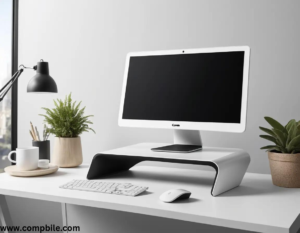
- The all-in-one design reduces clutter, with most of the system’s components integrated into the back of the screen, making it a clean and modern desktop solution.
8. Connectivity
- Includes Wi-Fi, Bluetooth, USB ports, an HDMI port, and potentially SD card readers, making it versatile for connecting external devices.
9. Audio
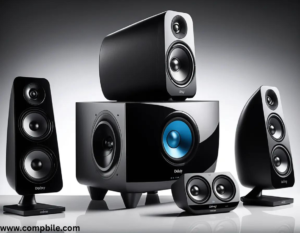
- Typically equipped with Dolby Audio or similar technology for better sound quality.
Design and Build
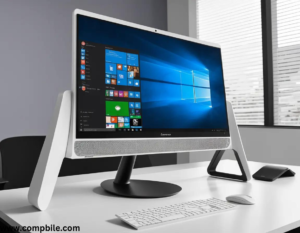
- Sleek and Modern Look: The Lenovo Idea Centre AIO often features a slim profile, reducing desk space clutter. The integrated stand and adjustable screen make it ergonomically user-friendly.
- Screen Sizes: Common screen sizes range from 23.8 inches to 27 inches, with thin bezels for a more immersive display.
2. Display Technology
- Resolution and Color Accuracy: While many models feature Full HD (1920×1080) resolution, high-end models come with 4K UHD screens for professional-level detail and clarity, ideal for creators and media enthusiasts.
- Touchscreen Functionality: Some models come with touchscreen capabilities for a more interactive experience, allowing you to tap, swipe, and zoom directly on the display.
4. Storage Options
- SSD + HDD Combo: The combination of an SSD (for faster data access) and HDD (for larger storage capacity) gives users the best of both worlds. For instance, a 512GB SSD for quick boot-up and program load times, paired with a 1TB or larger HDD for storing files, videos, and photos.
- Pure SSD Models: For better overall speed and responsiveness, there are configurations with larger 1TB+ SSDs, providing ultra-fast performance for everything from boot-up to file transfers.
5. Graphics
- Intel Integrated Graphics: Most Idea Centre models use Intel Iris X e Graphics, providing decent performance for general multimedia tasks, web browsing, and video streaming.
- Dedicated NVIDIA Graphics (Optional): Some higher-end models include NVIDIA GeForce GTX or MX series GPUs, providing superior graphics power for light gaming, photo/video editing, or running demanding design and creative applications.
6. Connectivity and Ports
- HDMI Input/Output: Many models have HDMI In/Out ports, allowing the AIO to serve as a secondary monitor or for easy connection with other devices, like gaming consoles or laptops.
- SD Card Reader: For easy file transfers from cameras or other devices.
7. Audio and Webcam
- Webcam and Privacy Shutter: The webcam is typically 1080p, providing clear video conferencing quality. Some models also feature a privacy shutter for security, which can physically block the camera when not in use.
- Noise-Canceling Microphone: For clear voice calls or online meetings, models often include a microphone that helps reduce background noise.
8. Operating System and Software
- Windows 11 or Windows 10: The Lenovo Idea Centre AIO comes pre-loaded with Windows 11, offering a smooth and intuitive interface, improved multitasking, and enhanced security features.
- Lenovo Vantage: This is Lenovo’s proprietary software for managing system updates, diagnostics, and personalized settings.
- Pre-installed Software: Depending on the region and model, it often comes with some pre-installed software like Microsoft Office, Lenovo’s own apps, and a range of trial versions for creative and productivity applications.
9. Energy Efficiency and Environment
- Energy Star Certified: Many Lenovo Idea Centre AIOs are Energy Star certified, ensuring efficient power consumption and a greener product lifecycle.
- Eco-Friendly Design: Lenovo often uses recyclable materials in their design, making them more environmentally friendly.
10. Use Cases
- Home Office and Productivity: With its large display and robust processing power, it’s great for productivity tasks like word processing, web browsing, and working with spreadsheets.
- Multimedia Creation: Due to the power of the Intel Core i7, this AIO is suitable for light video editing, photo editing, and graphic design, particularly when combined with a dedicated GPU.
- Entertainment: The vibrant display and quality speakers make it an excellent choice for media consumption, including streaming videos, playing games, or watching movies.
- Casual Gaming: With dedicated graphics options, the Lenovo Idea Centre AIO is capable of running many popular casual games at medium settings.
11. Price Range
- Depending on the configuration (RAM, storage, GPU, display quality), the price for Lenovo Idea Centre AIOs with Intel Core i7 processors typically ranges from around $1,000 to $1,700. Models with 4K displays or dedicated graphics are usually on the higher end of the price spectrum.
Customization and Configurations
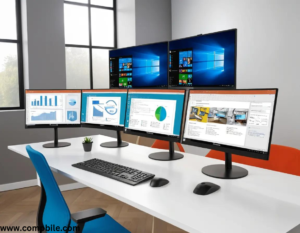
- Multiple Display Sizes: Lenovo offers several screen size options for the Idea Centre AIO, from 21.5-inch for compact spaces to 27-inch or larger for those who need a more expansive workspace.
- Choice of Color: Some models come with different color options, including black, white, and sometimes silver, allowing users to match their AIO to their home or office aesthetic.
- Expandable Storage and RAM: As mentioned earlier, most models offer options to upgrade storage and memory, so you can personalize the system based on your needs. The presence of M.2 slots or additional memory slots in certain configurations makes the upgrade path more flexible.
14. Battery Life If Applicable
- Since the Lenovo Idea Centre AIO is not a traditional laptop, it typically does not have a built-in battery. However, it does rely on power directly from an electrical outlet, so power management and energy efficiency features are important.
- Energy-efficient Power Supply: The Energy Star certification and low-power processors help ensure that the system runs efficiently without consuming excessive electricity, a benefit for long-term ownership.
15. Security Features
- Fingerprint Reader (Optional): Some models come with an integrated fingerprint reader, offering Windows Hello support for fast, secure sign-in..
16. Keyboard and Mouse
- Wireless Keyboard and Mouse: The Lenovo Idea Centre AIO usually includes a wireless keyboard and wireless mouse in the box, which helps reduce cable clutter on your desk. These peripherals are often designed with ergonomics in mind.
- Optional Accessories: There are also optional accessories available, such as a Bluetooth keyboard, external webcam, or stylus pen for models with touchscreens.
17. Smart Features and AI Integration
- Lenovo Smart Assistant (AI Features): Some models may feature Lenovo’s smart assistant, which uses AI to enhance performance, such as optimizing power consumption or adjusting the system’s performance based on the apps you use the most.
18. Cooling and Noise
- Efficient Cooling System: The Lenovo Idea Centre AIO models are designed with efficient cooling systems to prevent overheating.
21. Customer Support and Warranty
- Warranty Options: Lenovo typically offers a 1-year standard warranty, with options to extend it to 3 or 5 years. This is ideal for users who need extended coverage for their device.
- Support includes live chat, phone support, and access to online resources like user manuals and FAQs.
Pros and Cons
Pros
- Powerful Intel Core i7 processor, suitable for various tasks.
- Large, vibrant display with options for 4K.
- Slim, modern design to reduce desktop clutter.
- Variety of configurations to suit different needs (e.g., graphics, storage).
- Excellent build quality and good speaker performance.
- Expandable RAM and storage options.
Cons
- Lenovo Idea Centre AIO Intel Core i7 Limited upgradeability compared to traditional desktops (especially for GPU).
- No built-in battery (only works when plugged in).
- Touchscreen models can be more expensive.
- Not suitable for intensive gaming (unless paired with a dedicated GPU).
Get article on pdf file… click now